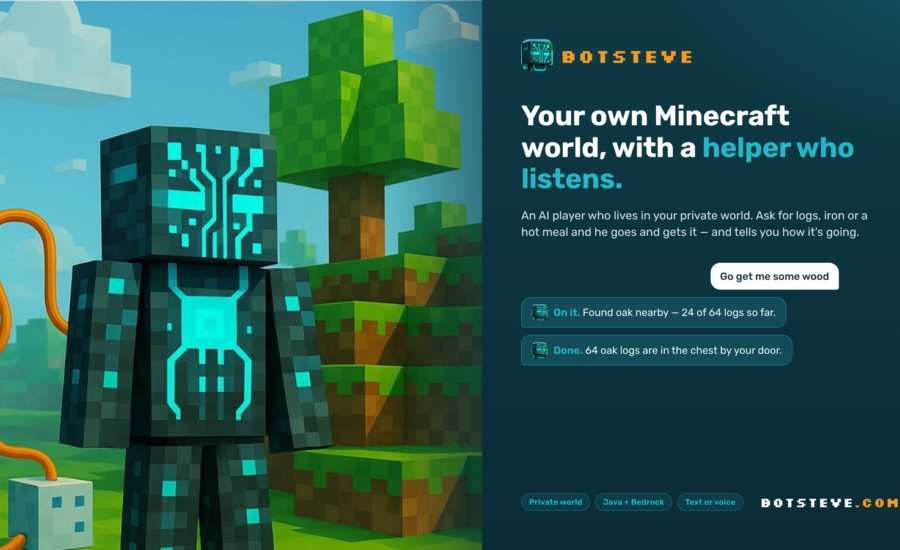
If you love building and exploring in Minecraft but absolutely dread the endless grind for resources, there’s a massive new game-changer you need to know about. A newly launched service called BotSteve is completely rethinking the multiplayer experience by giving you your very own private server—plus a fully functional AI buddy to do all your chores.
Instead of throwing you into a chaotic, overcrowded public server, BotSteve hooks every registered player up with an isolated, dedicated world. But the real magic is the AI companion that spawns right alongside you.
Your Personal In-Game Assistant Imagine never having to strip-mine for iron or punch trees for hours again. With BotSteve, you just tell your AI companion what you need. Ask for a stack of wood, some cooked food, or fresh ores, and the bot will immediately head out to get it, keeping you updated on its progress in the chat.
The AI is incredibly versatile and can handle almost any tedious survival task, including:
-
Resource Gathering: Farming, fishing, and harvesting materials like wood, sand, wool, and clay.
-
Mining: Setting up automated mines to track down coal, iron, and those precious diamonds.
-
Base Management: Crafting items, smelting ores, cooking meals, and even organizing your chests (it actually remembers where you keep specific items!).
-
Combat & Travel: Fighting off creepers and zombies to protect you, following you on expeditions, and navigating back to base to sleep when night falls.
Controlling your bot is super easy. You can type commands directly in the game chat, or use the BotSteve web app on your phone or PC to issue text or voice commands (like just saying, “Go get me some wood”).
Total World Control & Cross-Play The developers built BotSteve to be as accessible as possible. It features full cross-play compatibility between Bedrock and Java editions. Your world is strictly private and whitelisted, meaning nobody can crash your server unless you invite them. Better yet, every friend you invite gets their very own AI assistant, too!
As the server owner, you have absolute control over the world’s settings. You can easily toggle features like “keep inventory,” adjust difficulty, disable mob griefing, or lock the game to daytime/clear weather. The platform also includes a robust backup system, allowing you to create restore points, roll back your world if a creeper blows up your base, or generate a brand new map using a specific seed.
How to Get Started (Plus a Bonus!) Because this relies on a unique private-server setup, you can’t just type in an IP and jump in. You have to set up your account and generate your world via their website first. Pro-tip: The first 50 players to sign up and leave feedback will get a bonus free period, so act fast!
Here is how you can jump in:
-
Register: Go to botsteve.com, create an account, and verify your email.
-
Setup Your World: Pick a world name, set your difficulty, name your AI companion, and type in your exact Minecraft username (or Xbox Gamertag if you’re on Bedrock).
-
Play: Give it a minute or two to generate. Once it’s live, connect using the server IPs below.
Server Connection Info:
-
Website: botsteve.com
-
Java Edition IP: server.botsteve.com
-
Bedrock Edition IP: server.botsteve.com (Port: 19132)
-
Check them out on YouTube: youtube.com/@botstevegaming
Let your AI handle the heavy lifting while you focus on the fun stuff. Happy building!